

Enabling the Doppler integration
The Doppler integration is enabled per cluster.- From the Porter dashboard, navigate to the Integrations tab.
- Find Doppler in the list and toggle it on.
Adding a Doppler environment group
Each environment group corresponds to a single Doppler config (e.g.dev, staging, production).
Generate a Doppler service token
In the Doppler dashboard, create a service token for the project and config you want to sync. Service tokens are read-only by default, which is the correct scope for Porter. The token will be prefixed withdp.st..
Create the environment group in Porter
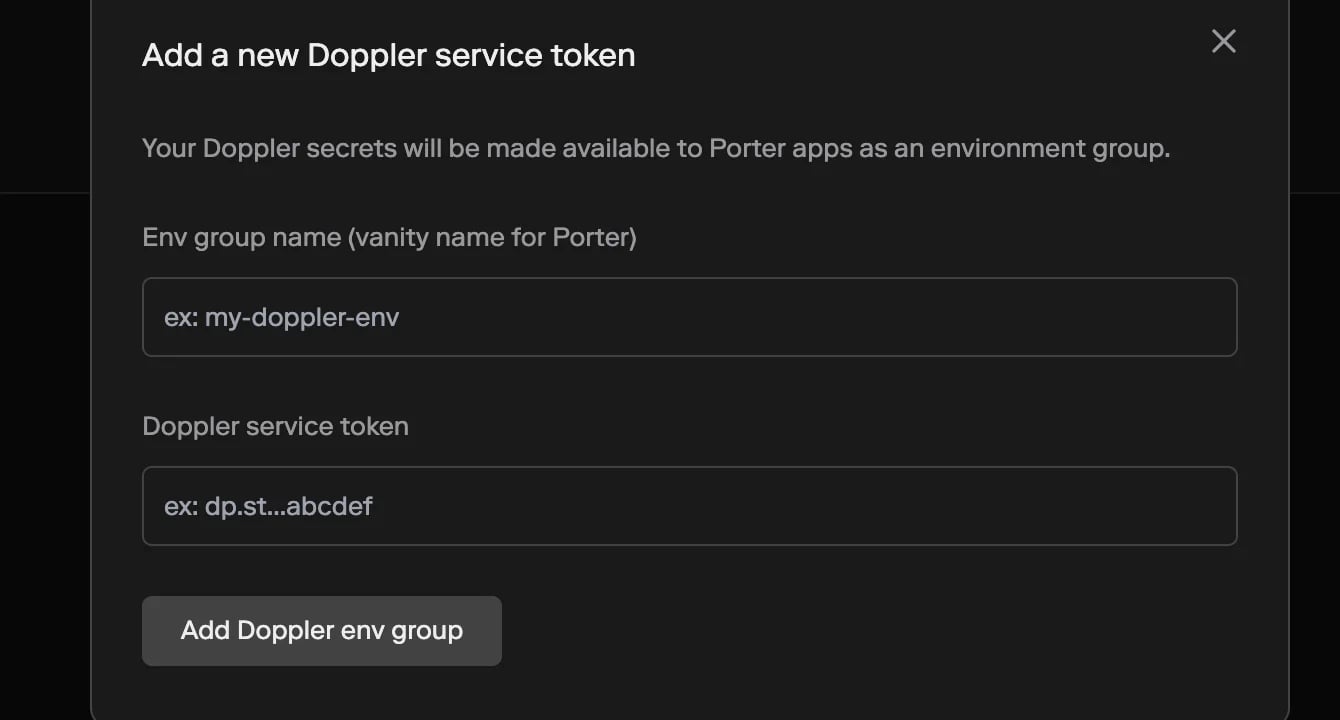
Doppler environment groups are created from the same form as any other Porter environment group.- From the Porter dashboard, navigate to the Env Groups tab and click New Env Group.
- Enter a Name — the name you’ll use to reference this environment group inside Porter (e.g.
production-doppler). - For Type, select Doppler. (This option only appears once the Doppler integration is enabled on at least one cluster.)
- Paste your Doppler service token (the
dp.st.…token you generated above). - Select the Target cluster to sync the secrets into. If only one cluster has Doppler enabled, it’s preselected.
- Click Create environment group.
Syncing to an application
Doppler environment groups work like any other Porter environment group. You can sync them to an application:- From the dashboard, on the application’s Env Groups tab, add the Doppler group and click Update app.
- From
porter.yaml, add the group’s name to theenvGroupsfield:
Doppler environment groups are read-only in Porter. Values are fetched from Doppler and cannot be edited from the Porter dashboard. To change a secret’s value, update it in Doppler — the change will propagate to your cluster automatically.
Rotating the service token
If you regenerate a service token in Doppler, update Porter so it can keep syncing:- Open the Doppler environment group in Porter.
- Go to the Settings tab.
- Under Credentials, click Rotate and paste the new service token.
Deleting a Doppler environment group
To stop syncing a Doppler config:- Open the environment group in Porter.
- Go to the Settings tab and click Delete.